Table of Content
Introduction
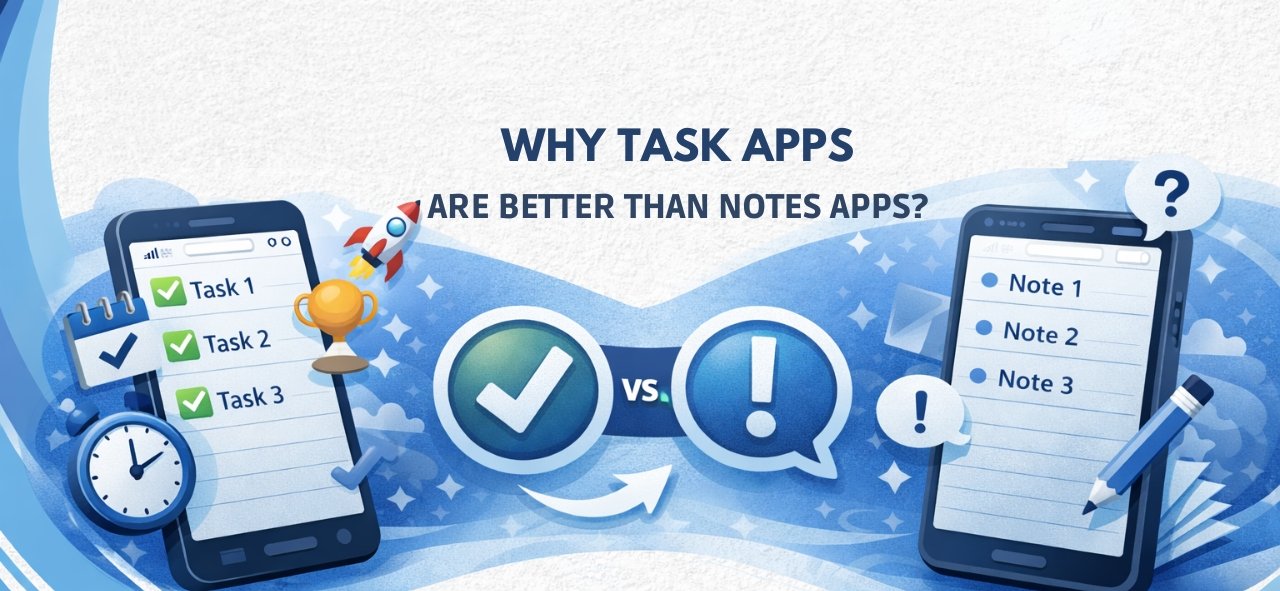
Notes Apps vs Task Done Apps
Better Organization & Structure
Smart Reminders
Progress Tracking
Less Stress, More Focus
- Work & Life Use
- Conclusion
- FAQs
Life moves fast, too fast sometimes. We write tasks in notes apps quick easy feels productive.
But then days pass notes pile up. Tasks stay undone notes apps are great for writing things down.
They’re not great at getting things done.
That’s where a Task Done App makes the difference.
Notes Apps are for writing, Not for managing work
Notes apps were built for ideas, thoughts, lists you open them, you write, you close. No priorities, no deadlines, no real follow-up. As tasks increase, everything turns into one long, messy list. Hard to manage. Hard to trust.
A Task Done App is different. It’s designed for action—from task creation to completion.
Better Organization. Real Structure
With a Task Done App, tasks don’t just sit there.
They’re grouped, Categorized, Prioritized.
Deadlines are clear. Big tasks break into smaller ones.
Notes apps store information.
Task apps organize work.
And that clarity matters.
Reminders That You Don’t Ignore
Let’s be honest most people forget to open their notes.
Task Done Apps don’t wait for you.
They remind you. Notify you. Push you—politely.
Upcoming tasks. Overdue tasks. Important ones.
Nothing slips quietly.
Progress You Can Actually See
In notes apps, done tasks look the same as undone ones.
They just stay there Forever. A Task Done App lets you mark tasks complete.
You see progress daily. Weekly. Over time. That small sense of completion?
It keeps motivation alive.
Less Searching. Less Stress
Scrolling through old notes to find tasks is exhausting.
Task Done Apps show only what matters.
Sorted by priority. By date. Automatically.
Less mental clutter. More focus on action.
Works for Life and Work
Student, Professional, Freelancer, Business owner. A Task Done App adapts to your workflow. Personal tasks. Work deadlines. Long-term goals. Notes apps don’t scale that well. Task apps do.
Built for productivity, Not just storage
Notes apps are digital notebooks.
Task Done Apps are productivity systems.
They help you plan your day.
Manage time better.
Reduce procrastination.
Build habits that stick.
Big difference.
Conclusion
Notes apps are fine—for ideas. But for managing daily tasks? They fall short. A Task Done App brings structure, reminders, progress, and clarity. It reduces stress. Saves time. And helps you actually finish what you start. If productivity matters to you.
This switch is worth it.
Recent Post
Dosificación de Péptidos con Omnitrop
La dosificación adecuada de péptidos es crucial para asegurar su efectividad y seguridad en los tratamientos. Omnitrop, un péptido sintético que se utiliza como
Optimierung des Bodybuildings: Der sichere und effektive Einsatz von Steroiden aus der Apotheke
Inhaltsverzeichnis Einführung Steroide aus der Apotheke Sicherheit und Wirkung Empfohlene Anwendung und Dosierung Nebenwirkungen und Risiken Schlussfolgerung Einführung Bodybuilding erfordert nicht nur intensive Trainingseinheiten,
Estimulantes Naturais Da Testosterona: Como Tomar
Introdução A testosterona é um hormônio essencial para a saúde masculina, influenciando desde a libido até a massa muscular. Com o passar dos anos,
Stanozolol Tabletter Effekt: Hvad Du Skal Vide
Stanozolol, også kendt som Winstrol, er et syntetisk anabolisk steroid, der ofte anvendes til at forbedre præstationer og opbygge muskelmasse. Det er især populært
Frequently Asked Questions
A notes app is designed for writing and storing information, while a Task Done App is built to organize, prioritize, and track tasks until completion.
Yes, but it’s not efficient. Notes apps lack features like reminders, task prioritization, progress tracking, and deadline management that a Task Done App provides.
Task Done Apps send smart notifications and alerts, ensuring you never forget important tasks—something notes apps often fail to do effectively.
Absolutely. A Task Done App works perfectly for daily chores, personal goals, habit building, and time management.
Yes. Professionals, freelancers, and small businesses use Task Done Apps to manage work tasks, projects, and deadlines efficiently.
Yes. By reducing mental clutter, organizing priorities, and tracking progress, a Task Done App helps you focus and get more done in less time.